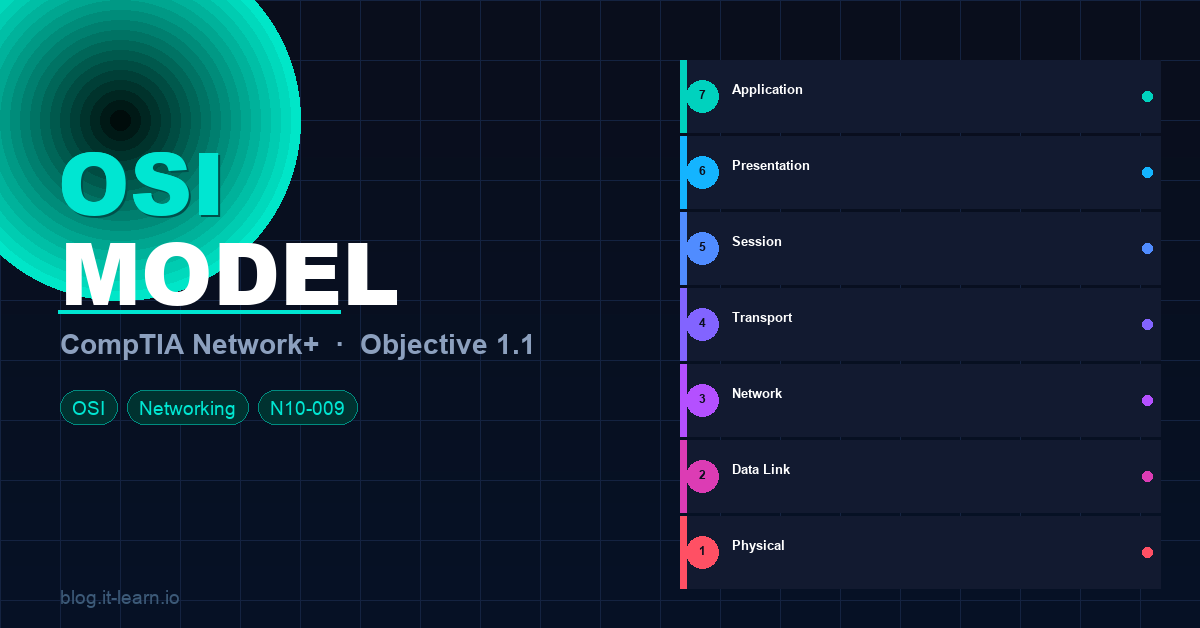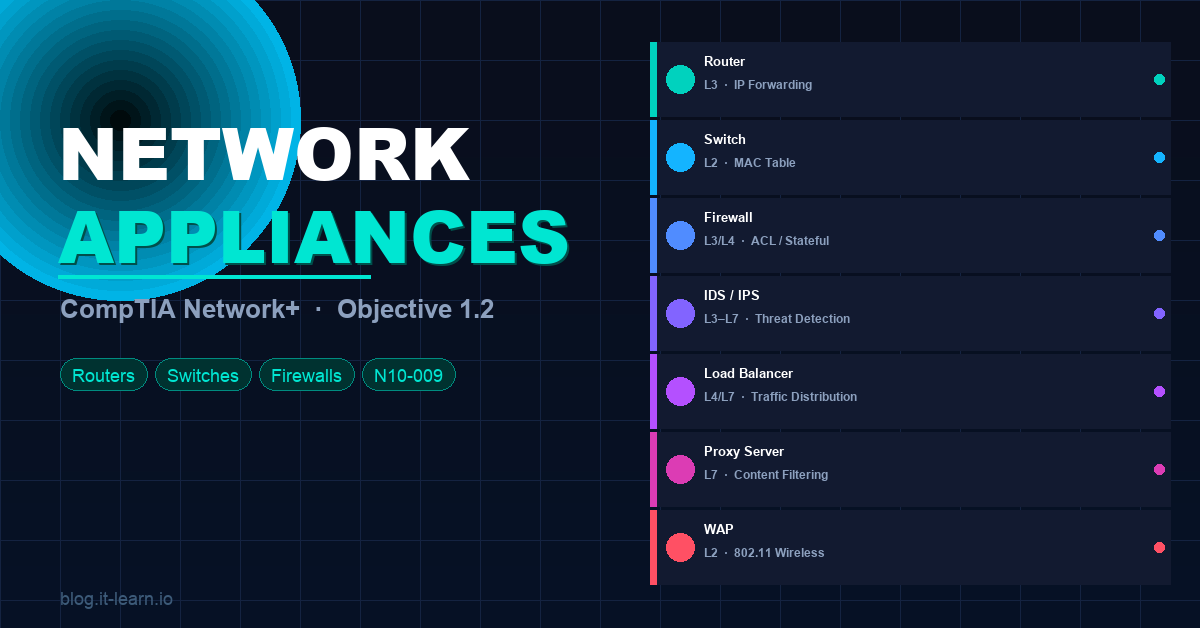
If Objective 1.1 gave you the OSI model as a framework, Objective 1.2 fills it with the actual hardware and software that makes networks run. Routers, switches, firewalls, IDS/IPS, load balancers — you need to know what each one does, where it sits in the network, and which OSI layer it operates at.
This post covers every appliance type on the exam with real-world context and the exam tips that matter.
Why This Objective Matters
Networking appliances are the building blocks of every network — from a small office with a router and a switch, to an enterprise data center with redundant firewalls, load balancers, and intrusion prevention systems. The exam will test you on:
- What each appliance does
- Which OSI layer it operates at
- When to use one vs. another
- The difference between hardware and software implementations
🧠 Exam tip: Many questions describe a network scenario and ask “which device should be used?” Knowing the function and OSI layer of each appliance is how you answer those confidently.
Routers
What it does: A router connects different networks together and determines the best path for packets to travel between them. It operates at Layer 3 (Network) and uses IP addresses to make forwarding decisions.
Key functions:
- Routing — maintains a routing table and forwards packets based on destination IP
- NAT (Network Address Translation) — translates private IP addresses to public ones for internet access
- Default gateway — the router is typically the default gateway for devices on a LAN
- WAN connectivity — connects your internal network to the internet or remote sites
Types of routing:
| Type | How it works |
|---|---|
| Static routing | Admin manually configures routes |
| Dynamic routing | Routers share route info automatically (OSPF, BGP, EIGRP) |
| Default route | Catch-all route — if no specific match, send here (0.0.0.0/0) |
Hardware vs. software: Routers can be dedicated hardware appliances (Cisco ISR, Juniper), or virtual/software routers running in cloud environments or on hypervisors.
🧠 Exam tip: Routers = Layer 3. They separate broadcast domains. Every time you cross a router, you’re in a different network/subnet.
Switches
What it does: A switch connects devices within the same network and forwards frames based on MAC addresses. It operates at Layer 2 (Data Link) — though Layer 3 switches also exist.
Key functions:
- MAC address table — learns which device is on which port, forwards frames only to the correct destination
- Full-duplex communication — unlike hubs, switches give each device its own collision domain
- VLANs — logically segments a network into separate broadcast domains without needing separate physical switches
- STP (Spanning Tree Protocol) — prevents switching loops in redundant topologies
Layer 2 vs. Layer 3 switches:
| Type | OSI Layer | Routing capable? | Use case |
|---|---|---|---|
| Layer 2 switch | Layer 2 | No | Standard LAN switching |
| Layer 3 switch | Layer 2 + 3 | Yes (inter-VLAN routing) | Campus networks, data centers |
Managed vs. unmanaged:
- Unmanaged — plug-and-play, no configuration, small offices
- Managed — configurable via CLI or GUI, supports VLANs, QoS, port security, monitoring
🧠 Exam tip: Switches forward based on MAC addresses (L2). If you see a question about VLANs, STP, or MAC tables — that’s a switch question. Layer 3 switches can route between VLANs without a dedicated router.
Firewalls
What it does: A firewall controls traffic flowing in and out of a network based on defined rules. It can operate at multiple OSI layers depending on type.
Types of firewalls:
| Type | OSI Layer | How it works |
|---|---|---|
| Packet filtering | Layer 3/4 | Allows/denies based on IP, port, protocol |
| Stateful inspection | Layer 3/4 | Tracks connection state — knows if a packet belongs to an established session |
| Application (L7) firewall | Layer 7 | Inspects actual application content (HTTP, DNS, TLS) |
| NGFW (Next-Gen Firewall) | Layer 3–7 | Combines stateful + deep packet inspection + IPS + app awareness |
Key concepts:
- ACL (Access Control List) — ordered list of permit/deny rules evaluated top-to-bottom
- Implicit deny — if traffic doesn’t match any rule, it’s denied by default
- DMZ (Demilitarized Zone) — a network segment between the internet and internal network, typically hosting public-facing servers
- Unified Threat Management (UTM) — a single appliance combining firewall, IPS, antivirus, VPN, and content filtering
🧠 Exam tip: Stateful firewalls are the most common exam topic. Remember: stateful = tracks connection state. Packet filtering = stateless, just looks at headers. NGFW = everything plus deep packet inspection.
IDS and IPS
What they do: Both Intrusion Detection Systems (IDS) and Intrusion Prevention Systems (IPS) monitor network traffic for suspicious activity or known attack signatures.
The key difference:
| IDS | IPS | |
|---|---|---|
| Mode | Passive (monitor only) | Inline (active) |
| Action | Alerts/logs — does NOT block | Blocks/drops malicious traffic in real time |
| Placement | Out-of-band (SPAN/mirror port) | In-line with traffic flow |
| Risk | False negatives miss attacks | False positives can block legitimate traffic |
Detection methods:
- Signature-based — matches traffic against a database of known attack patterns (fast, but can’t catch zero-days)
- Anomaly-based — establishes a baseline of normal behavior and alerts on deviations (catches unknowns, more false positives)
- Heuristic/behavioral — uses rules and AI to identify suspicious patterns
Host-based vs. Network-based:
- HIDS/HIPS — runs on individual endpoints, monitors local activity
- NIDS/NIPS — monitors network traffic, deployed at key network points
🧠 Exam tip: IDS = detect and alert only. IPS = detect and block. IPS is inline. IDS is out-of-band. This is a guaranteed exam question.
Load Balancers
What it does: A load balancer distributes incoming network traffic across multiple servers to ensure no single server is overwhelmed. Operates at Layer 4 (Transport) or Layer 7 (Application) depending on type.
Load balancing algorithms:
| Algorithm | How it works |
|---|---|
| Round Robin | Sends each request to the next server in sequence |
| Least Connections | Routes to the server with fewest active connections |
| IP Hash | Routes based on client IP — same client always hits the same server |
| Weighted | Servers get traffic proportional to assigned weight/capacity |
Layer 4 vs. Layer 7:
- L4 load balancer — routes based on IP and TCP/UDP port (fast, less overhead)
- L7 load balancer — routes based on content (URL, cookie, HTTP header) — more intelligent, more overhead
Key features:
- Health checks — regularly tests servers and removes unhealthy ones from the pool
- Session persistence (sticky sessions) — ensures a client always hits the same backend server
- SSL termination — decrypts HTTPS at the load balancer, reduces backend server load
🧠 Exam tip: Load balancers increase availability and scalability. If the exam asks about distributing traffic across multiple web servers — load balancer is the answer.
Proxy Servers
What it does: A proxy server sits between clients and the internet, forwarding requests on behalf of clients. Operates at Layer 7 (Application).
Types of proxies:
| Type | Direction | Purpose |
|---|---|---|
| Forward proxy | Client → Internet | Hides client identity, caches content, enforces policies |
| Reverse proxy | Internet → Server | Hides server identity, load balancing, SSL termination |
| Transparent proxy | Intercepts without client config | Content filtering, monitoring |
Key functions:
- Content caching — stores frequently accessed content locally to reduce bandwidth
- Content filtering — blocks access to specific websites or categories
- Anonymization — masks the client’s real IP address
- Access control — enforces authentication before allowing internet access
🧠 Exam tip: Forward proxy = protects clients. Reverse proxy = protects servers. Transparent proxy = clients don’t know it’s there.
VPN Concentrators
What it does: A VPN concentrator manages multiple VPN tunnels simultaneously — typically used for large-scale remote access VPN deployments. Operates at Layer 3.
Key concepts:
- Remote access VPN — individual users connect to the corporate network from anywhere (SSL VPN, IPsec)
- Site-to-site VPN — connects two entire networks together over an encrypted tunnel
- Split tunneling — only corporate traffic goes through the VPN; internet traffic goes direct
- Full tunneling — all traffic routes through the VPN
Common protocols:
- IPsec — Layer 3, commonly used for site-to-site; uses AH and ESP
- SSL/TLS VPN — Layer 7, browser-based, easier for remote users (no client needed)
- OpenVPN — open-source, uses SSL/TLS
- WireGuard — modern, fast, lightweight
🧠 Exam tip: IPsec = site-to-site VPN. SSL VPN = clientless remote access. Split tunneling = only some traffic through VPN. Full tunneling = all traffic through VPN.
Wireless Access Points (WAPs)
What it does: A WAP provides wireless connectivity to wired network infrastructure. Operates at Layer 2 (Data Link) using the 802.11 wireless standards.
Standalone vs. controller-based:
| Mode | How it works |
|---|---|
| Standalone (fat AP) | Each AP configured and managed independently |
| Controller-based (thin AP) | Centrally managed via a Wireless LAN Controller (WLC) |
| Cloud-managed | Managed through a cloud dashboard (e.g., Cisco Meraki) |
Key 802.11 standards:
| Standard | Band | Max Speed | Range |
|---|---|---|---|
| 802.11a | 5 GHz | 54 Mbps | Short |
| 802.11b | 2.4 GHz | 11 Mbps | Long |
| 802.11g | 2.4 GHz | 54 Mbps | Long |
| 802.11n (Wi-Fi 4) | 2.4/5 GHz | 600 Mbps | Medium |
| 802.11ac (Wi-Fi 5) | 5 GHz | 3.5 Gbps | Medium |
| 802.11ax (Wi-Fi 6) | 2.4/5/6 GHz | 9.6 Gbps | Medium |
🧠 Exam tip: WAPs operate at Layer 2. 2.4 GHz = longer range, more interference. 5 GHz = faster, shorter range. Wi-Fi 6 (802.11ax) is the current standard.
Content Delivery Networks (CDN)
What it does: A CDN is a distributed network of servers that caches and delivers content to users from the location closest to them. Reduces latency, offloads origin servers.
- Cloudflare, Akamai, and AWS CloudFront are examples
- Caches static content (images, CSS, JS, videos) at edge locations worldwide
- Reduces load on origin servers and improves page load speed globally
Quick Reference Cheat Sheet
| Appliance | OSI Layer | Key Function | Exam Keyword |
|---|---|---|---|
| Router | Layer 3 | Connects networks, IP routing | Default gateway, NAT |
| Switch (L2) | Layer 2 | Connects devices via MAC | VLAN, STP, MAC table |
| Switch (L3) | Layer 2/3 | Routing + switching | Inter-VLAN routing |
| Firewall | Layer 3–7 | Traffic filtering via rules | ACL, stateful, NGFW |
| IDS | Layer 3–7 | Detects and alerts (passive) | Out-of-band, SPAN port |
| IPS | Layer 3–7 | Detects and blocks (active) | Inline, signature-based |
| Load Balancer | Layer 4/7 | Distributes traffic across servers | Round robin, health check |
| Proxy Server | Layer 7 | Forwards requests on behalf of clients | Forward, reverse, transparent |
| VPN Concentrator | Layer 3 | Manages multiple VPN tunnels | IPsec, SSL VPN, split tunneling |
| WAP | Layer 2 | Wireless connectivity | 802.11, 2.4/5 GHz |
| CDN | Layer 7 | Distributed content caching | Edge location, latency |
Practice Questions
1. A company wants to monitor network traffic for suspicious activity but does NOT want to automatically block any traffic. Which appliance should they deploy?
Answer: IDS (Intrusion Detection System) — passive monitoring only
2. Which device operates at Layer 2 and forwards frames based on MAC addresses?
Answer: Switch
3. A network admin configures a device to distribute incoming web requests across three servers. What is this device called?
Answer: Load balancer
4. What is the difference between a forward proxy and a reverse proxy?
Answer: Forward proxy sits in front of clients (hides client identity). Reverse proxy sits in front of servers (hides server identity, load balancing).
5. A user’s traffic is being filtered and logged without any client-side configuration. Which proxy type is being used?
Answer: Transparent proxy
6. Which VPN configuration routes only corporate traffic through the tunnel while internet traffic goes directly to the internet?
Answer: Split tunneling
7. A company has 500 remote employees connecting to headquarters via VPN simultaneously. Which appliance handles this at scale?
Answer: VPN concentrator
8. What OSI layer does a router operate at, and what type of address does it use to make forwarding decisions?
Answer: Layer 3 (Network), IP addresses
What’s Next?
With Objective 1.2 covered, you’ve got the physical and virtual building blocks of any network. Next up:
- Objective 1.3 — Network topologies (star, mesh, bus, ring, hybrid) and WAN types
- Objective 1.4 — IP addressing, subnetting, and CIDR
Check out the OSI Model deep-dive (Objective 1.1) if you haven’t already — everything in this post maps back to it.
Subscribe to the it-learn YouTube channel for the full video series. Good luck on the exam! 💪