Unified Communications and Collaboration is being getting so much speed in the last few months. There are many great and incredible additions from many big vendors out there, such as Cisco, Google, Microsoft and now Amazon is also playing on this space (I think it has been for a while).
Amazon came up with another scary easy to use solution, this time for contact centers. the product is called Amazon Connect - I heard about the product yesterday from a co-worker that was at #EC17 and I heard it was really easy to use, so I could not resist and had to take a look at it.
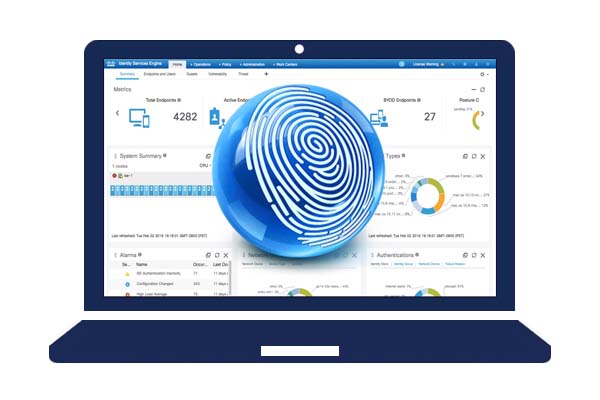
There is a constant evolution of security technologies and also Security threats, which makes the need for additional and enhanced visibility of the network. Cisco keeps on improving its Security portfolio, and this time I’m looking more closely at the Cisco Identity Services Engine. At a first glance, to me it looked like just an 802.1x solution with very complicated features.
I decided that I wanted to get more involved, and I have been working with the product for the last month in a more serious note this time, trying to understand the product I decided to make a list with important Features that are packed into the solution
This will be a quick post, with a quick issue and the solution.
The issue Some new phones needed to be activated along with a full network infrastructure deployment using Meraki gear. Meraki in my eyes was scary easy to set up, also thankfully it was already set-up for me on the cloud by a co-worker in advance.
When it was time to activate the new Spark phones, I was receiving a weird “Invalid Certificate” message that I’d never seen before. basically when receiving these type of errors, few things could be happening:
Last week I had the pleasure to attend a Fire Jumper Achievement classes, and it was a great eye opener for me. Security products have changed and evolved tremendously over the past few years, this evolution is due to the constant changing Attack vectors users and companies experience out there in the wild.
The Attack Continuum Cisco has a good strategy to address Security threats into different phases that could be possible in an attack. Understanding that there is not one “Perfect Solution” is part of the play. They do a great job to explain the different aspects of a security attack by breaking it down into 3 phases: Before, During and After. I also think that Cisco understands that there are very advanced and sophisticated attacks, which can bypass IPS systems, Firewall Rules and other security measures you may have at the edge, along with the security that you can deploy at the core of your infrastructure, on services such as DNS, Web and Email traffic among others.
The Video Quick video on few interesting things about UCCX 10.6
https://youtu.be/gYhkNNhVVSI
The Content This video is about understanding tools available in UCCX
CCX Editor
CCX Editor Functions and Steps
Validating a UCCX Script
Using the Reactive Script for Debugging
What to look forward to? As we get ready to implement a full solution, there will coming videos to cover the creation of UCCX applications and how they can be integrated into Production
The Video Continuation video from the UCCX Labs series. Going over some more preparation in CUCM and UCCX
https://youtu.be/204pr0orvyA
The Content This is a video that shows the building blocks of a typical UCCX Configuration
Using the RMCM User
What is the JTAPI user needed for
Creating Skills
Creating Resource Groups
Creating Contact Service Groups
Creating/Adding Resources from CUCM to UCCX
Creating Teams
What to Look forward to? After few weeks I continue the videos showing basic things, along with quick tricks that can be applied to any deployment or situation in real world.
A quick video showing considerations and things to do to successfully configure and make UCCX work properly
The Video https://youtu.be/7hthzA30s5A
The content The video goes over:
Description of what we are doing
Creating Users
Creating CTI Ports or Port Control Groups
Creating a Trigger or CTI Route Point
Creating a UCCX Application and assigning a Script
Testing the UCCX Auto Attendant
What to look forward to? I hope you enjoy looking at the videos, in case you have questions or doubts, please feel free to contact me
So, the question is, what is a better choice to get started with a Lab, and begin creating your own configurations? - Here is a list of the benefits from a Cloud Vs Home Lab
The difference between a Cloud lab and a Home lab Cloud Lab (dCLoud and DevNet) If you are one of those weird people that don’t want to run CUCM, UNITY Connection, IM & Presence, Jabber and other UC apps in your house, you are in luck. Cisco dCloud + Devnet Sandboxes are what you are in the business for.
Building a Collaboration lab is a big decision and cost could be keeping you from getting started. Recently I received a request from a friend on FB about how to get started.
Well, there are many options and many questions, one of the questions is the licensing piece. Cisco licensing is expensive if you plan to go crazy (like me) and have your home using all the goodies you already use at work.
A nice email with this information may have gotten to your Mailbox today. The email opens up a new methodology called agile, wich will be used going forward.
What do these changes mean? For what I read so far and what I have been able to research, means that there will be minor revisions every year, these revisions will bring at least 20% of changes with what you are being asked in the test. Also, there will be major changes to blueprints and actual exams every 3 to 5 years, such changes should reflect between a 50% to an 80%