Let’s see, it has been a while since the last time you heard from me, but this time I will spare you the excuse!
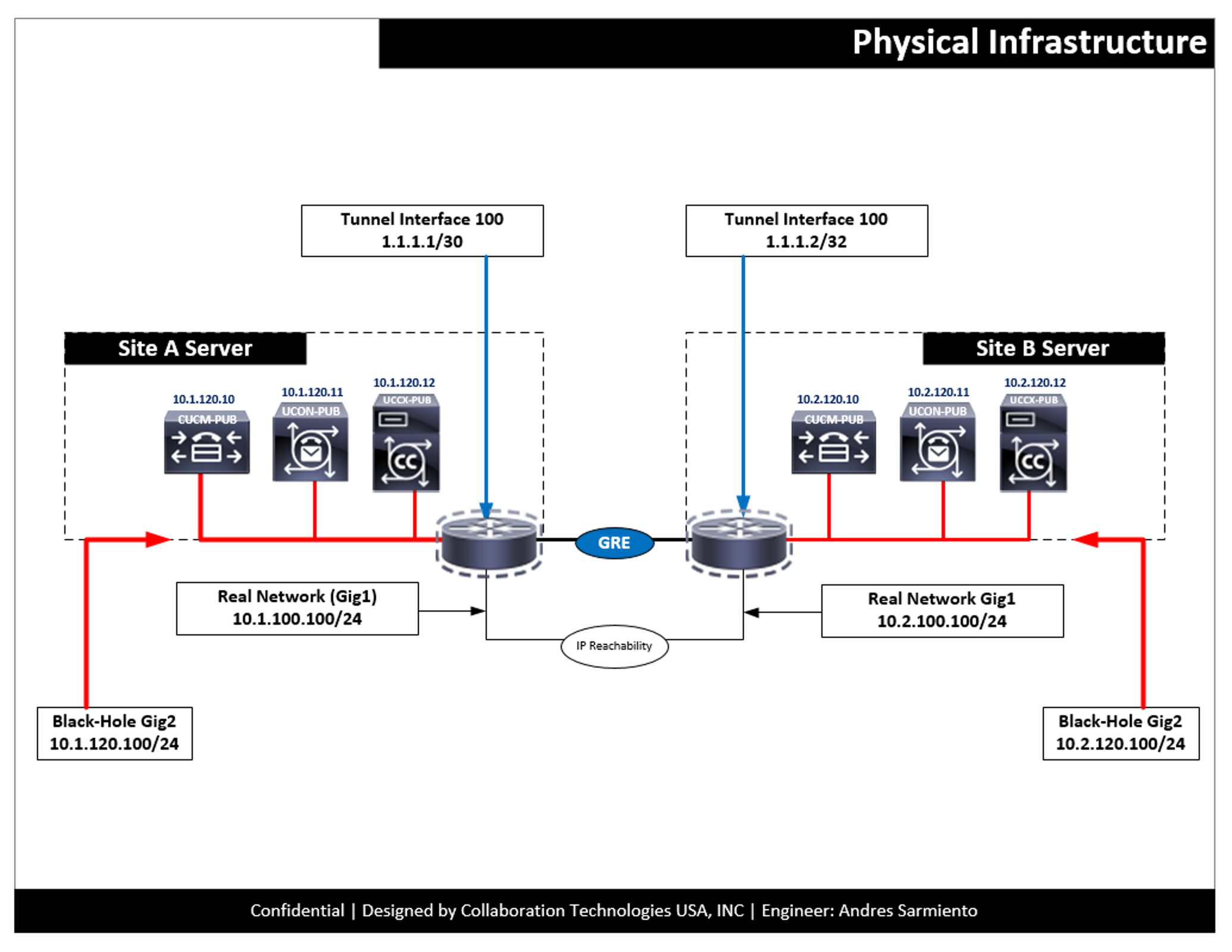
What is a Zero Downtime Upgrade? This is an upgrade where no matter from which version of VOS (CUCM, UNITY, and UCCX) you are coming from can be done with very little or zero downtime
The Reasoning behind Look I have always worked with companies that like their stuff done quickly, efficiently and with minimal downtime. I’m also very lazy, or very practical, so if I don’t have to spend all night doing an upgrade, I simply don’t do it. Now, like everything else, there are a lot of exceptions to the scenario I will be going over on this Post, so keep reading!
Call recording is an interesting topic for me and it’s sometimes hard to understand, but It’s easy when you break it down to get what it is all about.
My experience varies from different vendors and most of it comes to the same place, at least when preparing CUCM for Recording services. This post is just to go over what is involved form CUCM’s preparation and a bit of an explanation when possible :)
Where do we begin with this one? - Here is your ticket and before you go to the next section of this post, make sure you have a quick answer.
The Ticket/Challenge **Trying not to call it a problem! Your client needs to move from a Datacenter to a new location. You need to move the CUCM Publisher and be able to do it also by changing the IP address, with minimum service impact as possible
Here is something that I should have posted few weeks ago, but I have been very busy lately, a sign that the New year took off very strong.
The Scenario Sometimes your CUCM server is out of any hope, full of bugs and issues after issues, yes I’m talking about CUCM version 11.0 - .0 versions are really hard on Delivery Engineers, because the solution is not as stable as Cisco says it is.
This is a video I created, showing how auto registration works in CUCM 11.5
Not too much really, but I think I will get better as I start working more in my editing skills and being a bit less nervous
Enjoy
About the Author: Andres Sarmiento, CCIE # 53520 (Collaboration) With more than 13 years of experience, Andres is specialized in the Unified Communications and Collaboration technologies. Consulted for several companies in South Florida, also Financial Institutions on behalf of Cisco Systems. Andres has been involved in high-profile implementations including Cisco technologies; such as Data Center, UC & Collaboration, Contact Center Express, Routing & Switching, Security and Hosted IPT Service provider infrastructures.
Passing the CCIE Collaboration Lab was really hard and a very nice and entertaining experience, which I feel very happy to say that I completed the challenge!!
I will be very short on this post and will make it technical and a bit emotional for the people out there that may benefit from it at all
How many times is enough? Well I started this year thinking that it was going to take as many times as it needed to take… Financially this could be brutal and indeed it is. But the reality is that you need to make everything possible to make it happen. Just make sure you will get it, no matter what! and put every effort possible to achieve the goal.
Looking for more information on this one, is always good idea to look at the field notices on CCO.
In a nutshell here is a list of the phones that will no longer be supported by CUCM on version 11.5
Problem Description The following phone models are deprecated and are not supported by Cisco Unified Communications Manager Release 11.5(x). If you are using any of these phone models and you upgrade to release 11.5(x), you will be unable to use the phone after the upgrade. After you switch over to the new release, registration on the phone will be blocked.
This one may seem a bit like a very involved configuration but in reality is not. The process is easy, if you know how to set up AnyConnect in an ASA, you will be able to crack it.
I have also included few links that show the process and the important things that you need to consider, as well as licensing requirements
Useful Links: ASA Sample Configuration: (http://www.cisco.com/c/en/us/td/docs/voice_ip_comm/cucm/security/8_5_1/secugd/sec-851-cm/secuvpn.html#wp1054676)
Configure AnyConnect VPN IP Phones with Certificate Authentication on an ASA (http://www.cisco.com/c/en/us/support/docs/unified-communications/unified-communications-manager-callmanager/115785-anyconnect-vpn-00.html)
Finishing an upgrade project after being a while since doing one, I wanted to take the time to share the experience and how easy has Cisco made it into upgrading their software.
It may look a bit disorganized, but you will find few things that I used to refresh my memory on the process, but I found that it was a surprisingly less painful than before. Now, one thing I like to mention is the fact that this is still a Refresh Upgrade because of the change on the REHL version of CUCM, but the Refresh Upgrade COP is not needed, note that the previous version is 9.x.
Confused about dial plans in the US? - Here is the solution
These 2 sites will help you get the most out of any North America dial-plan based on Areacode
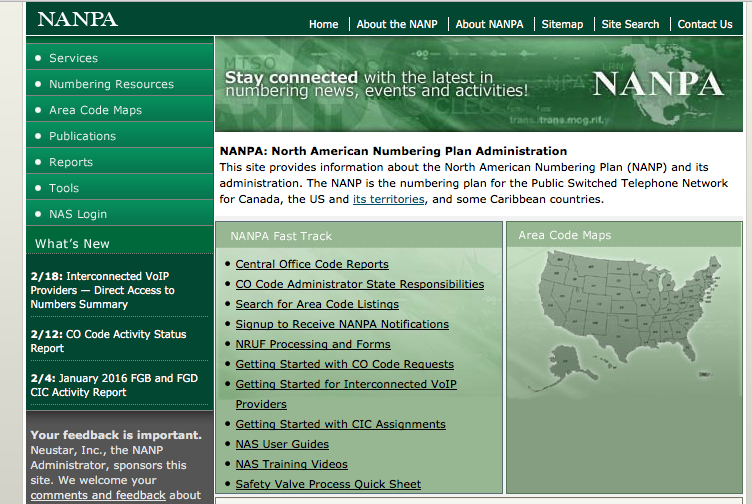
Lets begin with NANPA: https://www.nationalnanpa.com/
Going into Tools and Area Code Search you can get a lot information
Here is an example:
Pay close attention to the Dialing Plan for this NPA section. This will dictate the way you can make calls out locally and nationally. In case you are interested in FPA HNPA, NPA and NXX terms, here is a good link: https://en.wikipedia.org/wiki/North_American_Numbering_Plan